Bose Connect
- 4.2
- Rating
- 10.00M
- Installs
- Free
- Price

 Analysis by App-foxy
I came to Bose Connect expecting a simple companion app for Bose wireless audio products, and that is exactly where it makes the most sense. It belongs to the Music & Audio category, is developed by Bose Corporation, and is available at no cost. Rather than trying to replace a full music player, it focuses on helping a compatible Bose Bluetooth product become easier to manage.
That distinction matters. If you already use Bose wireless headphones or a portable speaker, the app can feel like a practical control panel that sits beside your normal music services. If you do not own a compatible Bose product, there is very little reason to install it. It is not a general-purpose streaming service, an equalizer for every brand, or a universal Bluetooth manager.
A free companion rather than a separate music service
The cost question is pleasantly straightforward: Bose Connect is free to use. I would not approach it as a paid upgrade or as an app that asks me to buy a subscription before its main purpose becomes useful. Its value depends on the Bose hardware already in my hands, so the important purchase decision is usually the headset or speaker itself, not the application.
You May Also Like

 Blood Strike: 2.5 Anniversary
Blood Strike’s Loadouts Turn Every Drop Into a Tactical Gamble
A close look at Blood Strike’s custom loadouts: how fast access to signature weapons reshapes its battle royale rhythm, rewards preparation, and narrows the gap between fights.

 Pandora - Music & Podcasts
Pandora’s Music Is Easy to Start, but Harder to Recover
Pandora’s strength is its low-effort path from a seed to a station. Its weak spot is how much confidence it asks you to place in connection, setup, and quiet recovery.

 8 Ball Pool
 Is Built on Rivalries, Rematches, and Routine
A close look at the rivalries, rematches, shared routines, and unanswered safety questions that turn a quick pool match into a persistent mobile community.

 Samsung Music
’s Quiet Strength Is Playing What You Already Own
Its reach comes less from spectacle than from dependable access to a personal library. That simplicity is both the app’s strongest retention engine and its ceiling.

 AccuWeather: Weather Radar
AccuWeather Review: A Quick, Clear Forecast for Everyday Decisions
For everyday plans, the best forecast is the one you can understand quickly. AccuWeather makes rain timing, radar, and local conditions easy to act on, with a few trade-offs.

 Hill Climb Racing
Why Hill Climb Racing Still Turns Crashes Into One More Run
A tiny car, a bumpy hill and one more upgrade: Hill Climb Racing keeps resurfacing because its simple chaos makes every near-miss feel personal.
More From Our News Desk



That makes the app easier to judge. There is no separate app price to add to the ownership cost, but the free download does not turn a non-Bose product into a supported one. In other words, free access is helpful, but it is not the same as universal compatibility. I would check that my particular Bose Bluetooth product works with the app before building my listening setup around it.
The broad public response also suggests that many people find the companion role useful: the app has a 4.2 average from around 265 thousand ratings, with roughly 23 thousand written reviews. Those figures do not guarantee a perfect experience on every phone, but they do show that it is more than an obscure utility used by only a handful of owners.
It has also reached over 10 million installs, which gives me confidence that Bose Connect is an established part of the Bose mobile experience rather than a short-lived experiment. The app has been available since December 11, 2015, so its purpose is familiar: connect Bose Bluetooth equipment, expose useful controls, and reduce the need to manage everything through the phone's ordinary Bluetooth screen.
What I found useful in everyday listening
The best part of using a dedicated companion app is the clearer relationship between the phone and the audio product. Android and iOS Bluetooth menus can connect a device, but they usually do not explain much about the product itself. A Bose-focused app gives the connection a more deliberate home, which is especially useful when I switch between several listening situations during the day.
For example, imagine starting the morning with Bose headphones, moving to a portable Bose speaker in the kitchen, and then returning to the headphones before leaving home. The normal Bluetooth settings can handle basic pairing, but the companion app is more convenient when I want to see Bose devices together and choose the one I actually intend to use. That small reduction in menu-hunting is the kind of benefit I notice repeatedly rather than only during setup.
I also like the idea of keeping product controls close to the music I am already playing. I do not need another streaming catalog or a second audio library. My usual music app remains the place where I choose albums, playlists, podcasts, or radio. Bose Connect serves a different purpose: it helps the phone communicate with the Bose hardware. That separation keeps the app focused.
One less obvious benefit is troubleshooting discipline. When sound fails to come through, it is easy to keep changing random phone settings. A dedicated Bose companion gives me a more sensible first stop: check the selected Bose product, confirm the connection, and then return to the music app. It does not eliminate every Bluetooth problem, but it can make the process less confusing than jumping between unrelated menus.
Another practical use is for people who share spaces with more than one Bose product. A household might have a portable speaker in one room and headphones used by another person. The app is more relevant in that situation than it is for someone who owns one device, never changes connections, and is comfortable with the system Bluetooth panel.
Where the focused design helps—and where it does not
I see Bose Connect as a control layer, not as a replacement for the phone's operating system. That means its usefulness is strongest when I need Bose-specific access and weakest when I only want to play audio. If my headphones are already paired, work reliably, and expose everything I need through their physical controls, opening a companion app every day may feel unnecessary.
This is also not the right choice for someone building a mixed-brand audio collection. A Bose-centered app naturally makes sense around Bose Bluetooth products. If my main headphones are from another manufacturer, I would look at that brand's companion app instead of expecting Bose Connect to organize unrelated equipment. For a mixed setup, the operating system's Bluetooth controls may be less polished but more neutral.
The app's narrow purpose can therefore feel like both its strength and its limitation. It avoids becoming cluttered with unrelated music functions, but it also cannot be my single audio hub for every product I own. I would not install it merely because I listen to music on a phone; I would install it because a compatible Bose product is part of my routine.
There is also a human factor. Companion apps add another step to a task that Bluetooth is supposed to make simple. If I am in a hurry, I may prefer pressing the power button on my headphones and letting the phone reconnect automatically. The app earns its place when I need visibility or Bose-specific management, not necessarily when everything is already working perfectly.
Small habits that make the app more worthwhile
My first tip is to use the app during the initial setup, even if I expect to rely mostly on physical controls later. Establishing the relationship between the phone and the Bose product in the companion environment gives me a clear baseline. If I later experience a connection problem, I know which product I intended to use instead of guessing among similarly named Bluetooth entries.
My second tip is to open it before leaving for a trip or a long day away from home. That is when a forgotten connection becomes most annoying. I can confirm that the intended Bose product is the one I recognize, rather than discovering at the station or on a flight that the phone has connected somewhere else. This is a simple workflow, but it is more useful than treating the app as something I open only after an error occurs.
My third tip is to think of the app as a device-management shortcut, not as a music destination. I keep my listening service open for content and use Bose Connect for the hardware side. That division prevents me from searching through the companion app for playlists or playback features that belong elsewhere.
A fourth useful habit is to avoid changing several connection settings at once. When a Bose product does not behave as expected, I would first identify the selected device, then test playback, and only afterward investigate the phone's Bluetooth settings. This makes it easier to tell whether the problem is the app, the phone, the audio product, or the music service. The app cannot solve every failure, but it can be part of a cleaner diagnosis.
How it compares with the usual alternatives
The closest alternative is doing everything through Android or iOS Bluetooth settings. That approach is perfectly adequate for basic pairing, and it has one major advantage: it works as the phone's general connection system rather than being tied to one audio brand. If I own several brands and rarely need product-specific controls, the built-in settings may be enough.
Bose Connect has the advantage when I want a Bose-oriented view and a more direct companion experience. The trade-off is that I am adding a brand-specific app to my phone. For a Bose owner who regularly changes between supported products, that extra focus can be worthwhile. For a single-device owner with effortless automatic reconnection, it may be more convenience than necessity.
Another alternative is a competing manufacturer's companion app. Those apps are generally better suited to their own hardware, just as Bose Connect is designed around Bose Bluetooth products. I would choose based on the equipment I actually use, not on the idea that one brand's app should manage every headset and speaker in the house.
Music-streaming apps are not direct substitutes. They provide the content I hear, while Bose Connect helps with the listening hardware. Comparing them as if they performed the same job would lead to the wrong expectation. I would keep a streaming app for discovery and playback, the phone's Bluetooth settings for universal access, and Bose Connect when I want the Bose-specific layer.
Who receives the most value from it
I think the strongest audience is someone who already owns at least one compatible Bose Bluetooth product and wants a clearer way to manage it from a phone. The app is particularly sensible for people who move between Bose headphones and speakers, share a home with several Bose products, or prefer a dedicated place to check the hardware connection instead of relying entirely on system menus.
It can also suit less technical users. Bluetooth menus are not difficult for everyone, but device names, remembered connections, and competing nearby products can become confusing. A focused Bose companion may make the relationship between the phone and the audio product feel more understandable. That is a modest benefit, but it can matter when the user wants music rather than a lesson in wireless settings.
I would be more cautious if I owned only one Bose device and it connected reliably every time. In that case, I might install the app for setup and keep it available, but I would not assume it needs to remain part of my daily routine. The free price removes financial risk, yet phone storage, notifications, and extra app clutter still have a practical cost.
I would skip it if I do not use Bose hardware, if I am looking for a universal audio controller, or if my main goal is streaming music. I would also choose another route when my listening setup is mostly made of different brands and the phone's built-in Bluetooth management already does everything I need.
My final recommendation
After using Bose Connect as a companion rather than treating it like a standalone music app, I find its value easy to explain. It is free, focused, and most useful when Bose Bluetooth products are already central to my listening. The app does not need to offer a music catalog to justify itself; its job is to make the hardware relationship easier to understand and manage.
The limitations are just as clear. It is not a universal solution, and it may feel redundant when one Bose product reconnects without trouble. People who want a single app for multiple audio brands should look toward the phone's own Bluetooth tools or a broader device-management approach. That is not a flaw so much as the consequence of a brand-specific design.
For me, the decision is simple: if I own compatible Bose equipment and occasionally switch devices or need a clearer connection workflow, I would install it. If I only want to play music, I would use my normal audio app and leave this one aside. With an Everyone age rating and no purchase price, it is easy to try, but the real value comes from whether it removes friction from my particular Bose setup.
My verdict: Bose Connect is worth keeping for Bose owners who want a dedicated, practical companion, but it is an unnecessary download for anyone outside that ecosystem.
FAQs for Bose Connect
01What is Bose Connect and how does it enhance my Bose device?
Bose Connect is a companion app designed to enhance the experience of using Bose products like headphones and speakers. It provides features such as easy device management, firmware updates, and access to product settings. The app also allows you to personalize your audio settings, manage Bluetooth connections, and access exclusive features like noise cancellation adjustments.
02Is Bose Connect compatible with all Bose devices?
Bose Connect supports a wide range of Bose products, primarily focusing on newer models of headphones and speakers. However, it may not be compatible with some older or discontinued models. It's advisable to check the compatibility list on the app's official page or the Bose website to ensure your device is supported before downloading.
03How do I pair my device with Bose Connect?
To pair your device with Bose Connect, ensure your Bose device is powered on and discoverable. Open the Bose Connect app on your smartphone or tablet, and it should automatically detect your Bose device. Follow the on-screen instructions to complete the pairing process. Once paired, you can manage your device settings directly from the app.
04Can I use Bose Connect to update my device’s firmware?
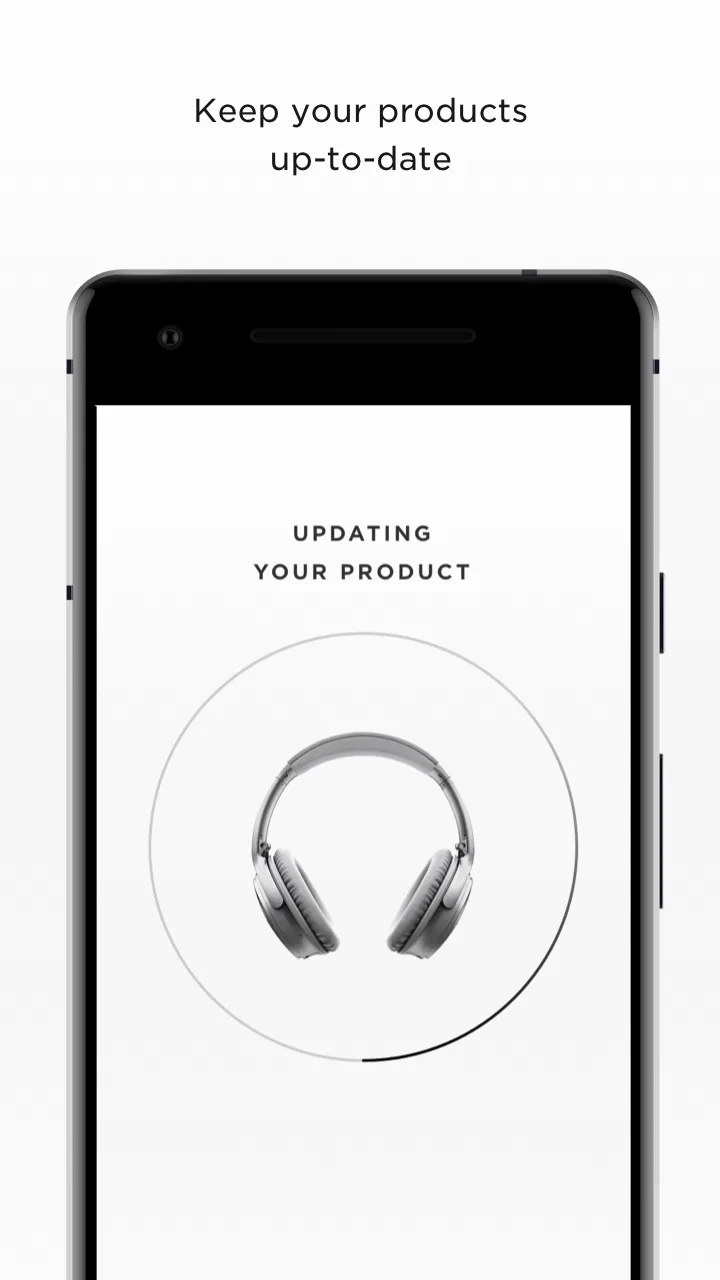
Yes, Bose Connect allows you to update the firmware of your compatible Bose devices. Regular updates can improve performance, add new features, and fix bugs. The app will notify you when a firmware update is available, and you can follow the prompts to download and install the update directly through the app, ensuring your device stays up-to-date.
05Does Bose Connect consume a lot of battery on my smartphone?
Bose Connect is designed to be efficient and should not significantly drain your smartphone's battery. It runs in the background to maintain device connectivity and manage settings. However, like any app, prolonged use or constant Bluetooth usage can impact battery life. It's recommended to close the app when not in use to conserve battery.
Pros
- User-friendly interface enhances accessibility.
- Seamless pairing with Bose devices.
- Customizable settings for personalized sound.
- Regular updates improve app stability.
- Intuitive controls for music and calls.
Cons
- Limited features for non-Bose devices.
- Occasional connectivity issues reported.
- App size may be large for older phones.
- Requires frequent updates for best performance.
- Battery consumption can be high.

Bose Connect
Gallery